




Table of Contents
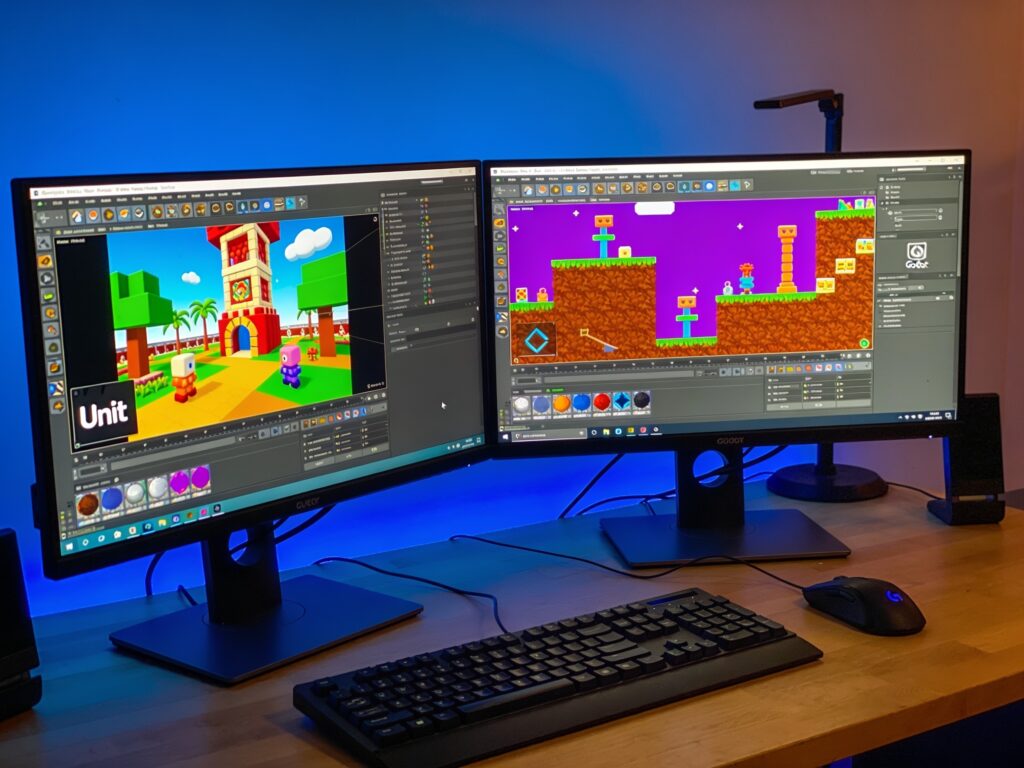
Choosing between Unity and Godot is one of the most important decisions a game developer can make. Both engines are powerful, but they serve different needs, budgets, and skill levels. This guide breaks down their core differences in rendering, scripting, licensing, and workflow so you can confidently pick the engine that fits your project and your goals.
Understanding the Core Philosophies
Unity and Godot approach game development from fundamentally different angles. Unity is a commercial powerhouse built for scalability, with a massive ecosystem of assets, plugins, and enterprise support. It has powered thousands of successful titles across mobile, console, and PC, making it the industry standard for studios of every size. Godot, by contrast, is a free and open-source engine driven by a passionate community. Its philosophy centers on accessibility, lightweight performance, and complete transparency, allowing developers to inspect and modify every line of the engine’s code. This philosophical divide shapes everything else, from the learning curve to the cost of shipping a game. Unity offers a polished, all-in-one experience with deep integration into advertising and analytics services, while Godot prioritizes simplicity and freedom. Understanding these core identities helps you align your own priorities, whether you value commercial support and market reach or prefer a fully customizable, community-driven tool that you own completely.
The Scripting Languages Compared
The programming languages you use daily will heavily influence your productivity and comfort. Unity relies on C#, a mature, statically typed language backed by Microsoft and widely used in enterprise software. C# offers excellent tooling, strong performance, and a vast pool of developers, making it easy to find help and hire talent. Unity also supports a visual scripting system called Bolt, now integrated as Unity Visual Scripting, which helps non-programmers create logic without writing code. Godot uses GDScript, a Python-like language designed specifically for the engine. GDScript is remarkably easy to read and write, with a shallow learning curve that lets beginners prototype quickly. Godot also supports C#, C++, and its own visual scripting, giving you flexibility. However, GDScript is unique to Godot, so skills do not transfer directly to other engines. Performance-wise, C# generally executes faster than GDScript, though Godot’s C# support narrows that gap. Your choice here depends on your background. If you already know C# or plan to work in larger studios, Unity feels natural. If you want a gentle introduction to coding with a friendly syntax, GDScript is a joy to learn.
Rendering and Performance
Visual quality and runtime performance are critical for any game. Unity offers a robust rendering pipeline with the High Definition Render Pipeline for stunning, high-fidelity graphics and the Universal Render Pipeline for optimized, cross-platform performance. Unity’s support for advanced features like real-time global illumination, ray tracing, and a mature shader system makes it a top choice for visually ambitious projects. Godot has made enormous strides with its Vulkan-based rendering engine, introducing a new Forward+ renderer that delivers impressive visuals and supports features like SSAO, volumetric fog, and glow. Godot’s lightweight architecture means it runs exceptionally well on modest hardware, and its 2D rendering is widely praised as some of the best in the industry. For 3D, Unity currently holds an edge in sheer graphical fidelity and asset pipeline maturity, especially for large open worlds. However, Godot’s 3D capabilities improve with every release and are more than sufficient for stylized and mid-range projects. If your priority is cutting-edge realism, Unity leads. If you value efficiency, fast iteration, and outstanding 2D support, Godot shines.
Pricing, Licensing, and Ownership
Cost is a decisive factor for indie developers and small studios. Unity operates on a subscription model with a free Personal tier that becomes paid once your revenue or funding exceeds a certain threshold. Unity’s licensing has evolved over time, and its Runtime Fee announcement in 2023 sparked significant backlash, though the company later revised the policy. This history highlights a key concern: Unity’s terms can change, and you do not own the engine itself. Godot is completely free under the MIT license, with no royalties, no subscription fees, and no revenue thresholds. You can use it commercially, modify the source code, and even sell your changes. This total ownership gives developers peace of mind and long-term stability. For hobbyists and small teams, Godot’s zero-cost model is incredibly attractive. For studios that need enterprise support, dedicated tools, and a proven commercial track record, Unity’s paid tiers provide value. Ultimately, the choice reflects your budget and your appetite for risk. If you want absolute freedom and no hidden costs, Godot is unbeatable. If you prefer a commercial ecosystem with professional support, Unity’s pricing may be justified.
Ecosystem, Assets, and Community
The surrounding ecosystem can dramatically accelerate your development. Unity boasts the Asset Store, a massive marketplace with thousands of ready-made models, scripts, tools, and complete systems. This library saves countless hours and is a major reason teams choose Unity. Unity also benefits from decades of tutorials, documentation, and a huge community of developers, making it easy to find solutions to almost any problem. Godot’s ecosystem is younger but growing rapidly. Its Asset Library is smaller, though the community is exceptionally active and generous, producing high-quality free assets and tutorials. The Godot community is known for its friendliness and collaborative spirit, with a strong presence on forums, Discord, and social media. Because Godot is open source, developers contribute directly to the engine, driving rapid improvements. When comparing ecosystems, consider your needs. If you rely on a rich marketplace and mature documentation, Unity offers unmatched resources. If you appreciate a tight-knit, innovative community and are willing to find or create your own assets, Godot provides a rewarding experience with a rapidly expanding library.
Making the Final Decision
There is no single best engine, only the best engine for your specific situation. Choose Unity if you are building a large-scale 3D game, targeting multiple platforms including consoles, or working within a professional studio environment. Unity’s mature tooling, extensive asset store, and C# ecosystem make it ideal for ambitious commercial projects. Choose Godot if you are a beginner, an indie developer with a tight budget, or focused on 2D games. Godot’s free license, intuitive GDScript, and lightweight performance let you iterate quickly without financial pressure. Consider your long-term goals as well. If you want complete control over your engine and freedom from licensing changes, Godot’s open-source model is empowering. If you value industry-standard workflows and broad hiring pools, Unity aligns with professional expectations. The best approach is to try both. Download each engine, build a small prototype, and see which one feels natural. Your personal comfort and workflow will ultimately determine your success, so trust your experience and choose the tool that makes you excited to create.
Conclusions
Unity and Godot are both exceptional engines, each with distinct strengths. Unity excels in high-fidelity 3D, commercial scalability, and a vast asset ecosystem, while Godot offers total freedom, outstanding 2D support, and a welcoming community at zero cost. Your decision should reflect your project scope, budget, and personal workflow. Whichever you choose, the most important factor is your creativity and dedication to building something great.